Copyright © 2012 Deborah M. Zajac. All Rights Reserved.
I recently received the new version of Photoshop CS6. I downloaded it and had some time to play with ACR 7.0 today.
ACR is the acronym for Adobe Camera RAW. The latest version has had a total revamp. They’ve retooled all the sliders and the algorithm giving us more control to recover highlights, shadows the blacks, and whites.
They’ve replaced the Recovery slider with several new sliders.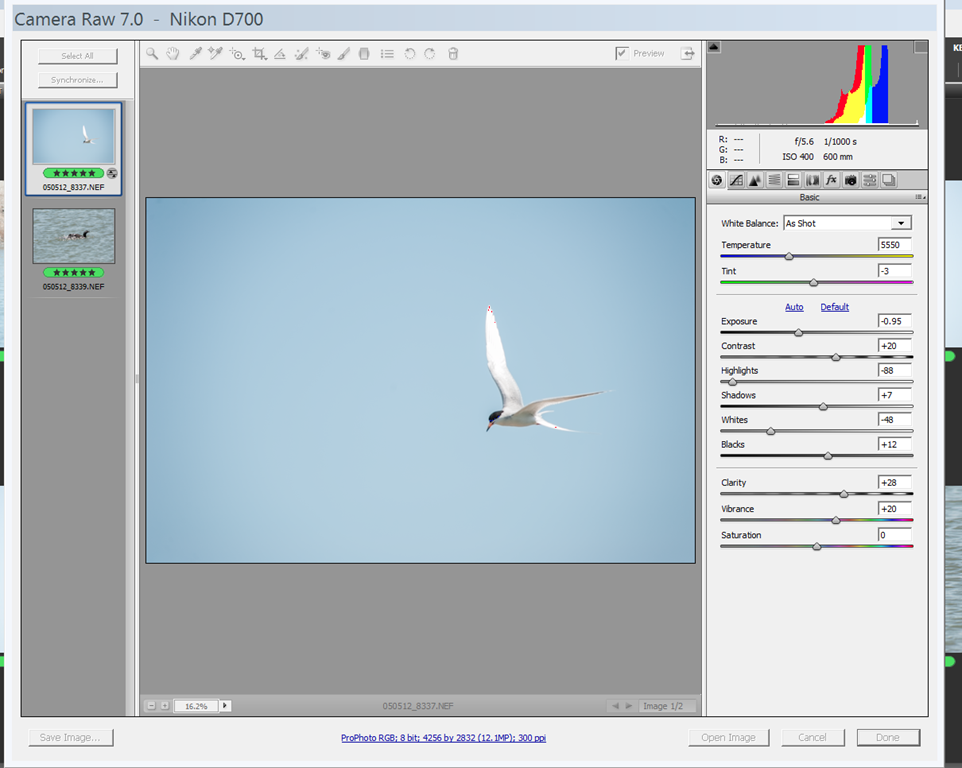 they’ve given us a Whites, Blacks, Highlights, and Shadows sliders.
I’ve got quite a few files in my archives that I’ve been saving for the time my editing software would be able to recover the data and save the photo. Let’s look at what I’ve been able to recover today.
I took this photo in January 2012 while on a New Year’s Trip in the Eastern Sierras with friends. I haven’t done any retouching to it at all in this shot. I only added my tag, and resized it for the web.
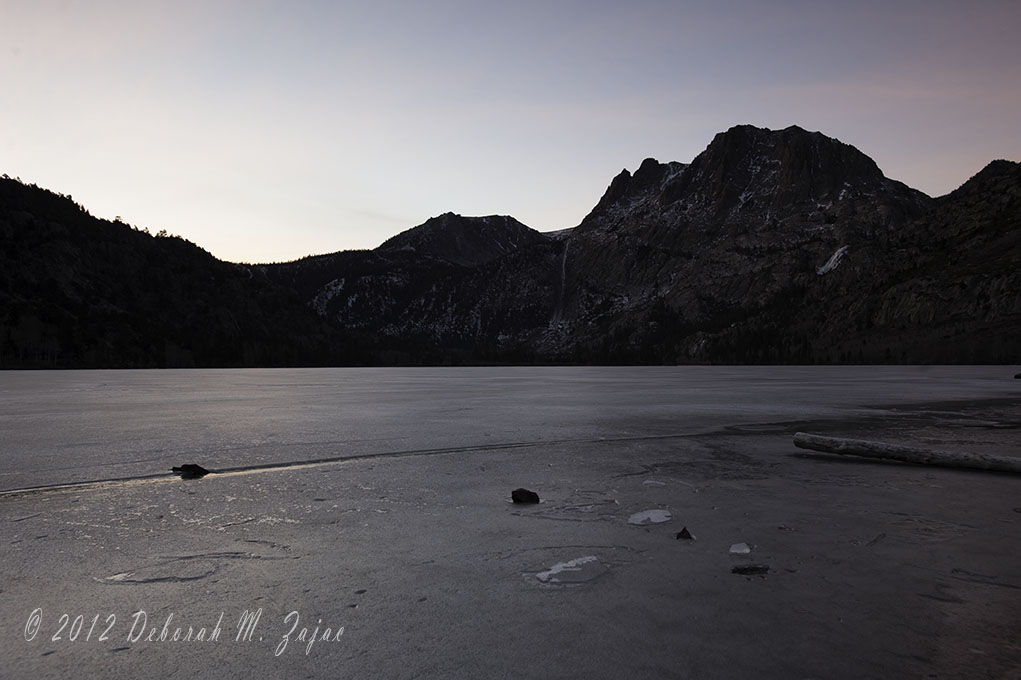
It’s completely blow out in the upper left sky where the sun was shining, and a lot of the mountain range is lost in the shadow. I thought I used my 2 stop Graduated Neutral Density filter on this shot, but by the looks of it I grabbed my 1 stop by accident.
Here’s what I was able to recover using CS6 new ACR 7.0.
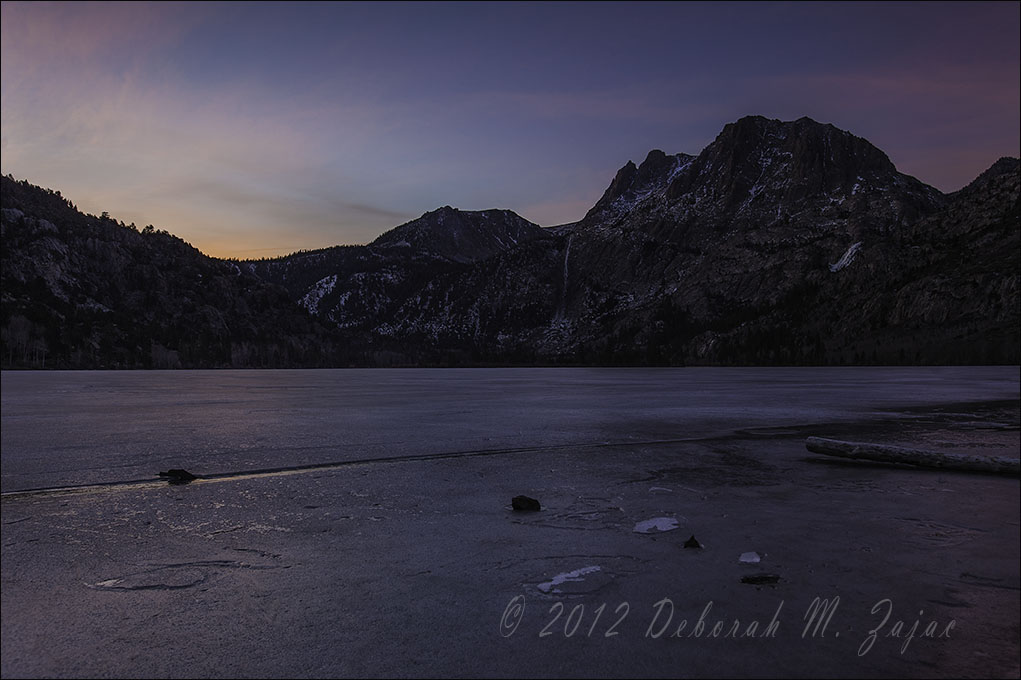
It’s amazing the amount of color that I was able to recover, and there are even a few wispy clouds there that couldn’t be seen!
I made all the adjustments in ACR using the new highlights, shadows, whites, and black sliders. I also adjusted the contrast, and exposure then I opened it in Photoshop to remove some spots, add my tag, and resize it for the web.
ACR 7.0 made the upgrade worth it to me.
 Circadianreflections Blog